
Inbox Overview
Vincent Depassier · September 24, 2026
The Inbox puts every conversation your workspace has with the outside world in one place: email, WhatsApp, SMS and calls, the chat on your website, and Instagram direct messages. Each conversation is tied to a contact in your own tables, can be assigned to a person or an AI agent, and can start an automation the moment a message arrives.
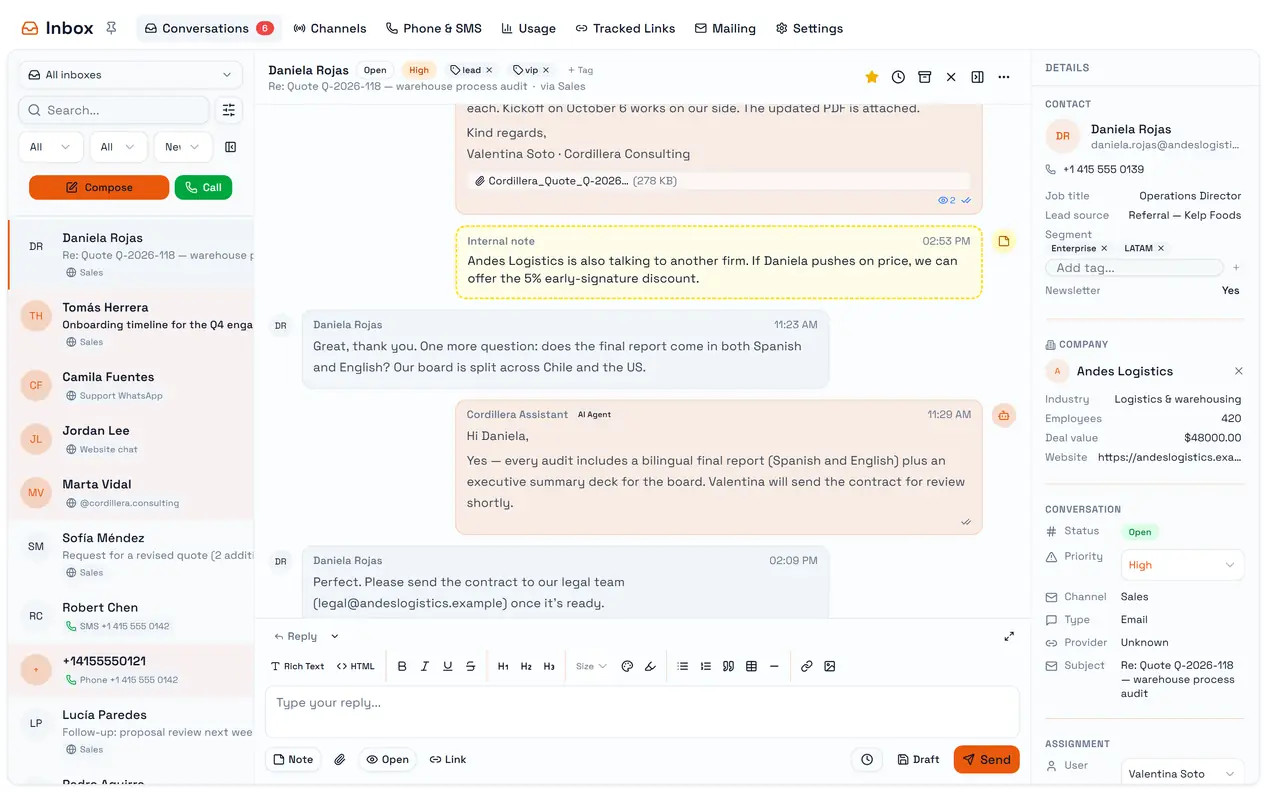
Three things are worth knowing before you connect anything.
Deleting a channel deletes its history. Removing a channel permanently deletes every conversation, message and call log it holds. The confirmation says they "become orphaned"; they do not survive. To stop using a channel but keep its history, switch it off with Active instead.
A new channel is visible only to you. Whoever creates a channel is given access to it, and from then on only that person and the workspace owner see it. Open Manage Access on the channel card and add the rest of the team.
The Inbox is in English. Its screens are not translated yet, so this page uses the labels exactly as they appear.
What is in the Inbox
Tab | What it is for |
Conversations | Reading and answering, with filters, assignment and notes |
Channels | Connecting email, WhatsApp, web chat, Instagram and SMS |
Phone & SMS | Turning on phone numbers, buying them, and calling |
Usage | SMS, voice and AI minutes used in the period |
Tracked Links | Links you can put in emails to count clicks |
Mailing | The workspace's email accounts |
Settings | AI auto answers, and which tables hold your contacts and companies |
The Conversations tab shows an unread count, capped at 99+.
Channels at a glance
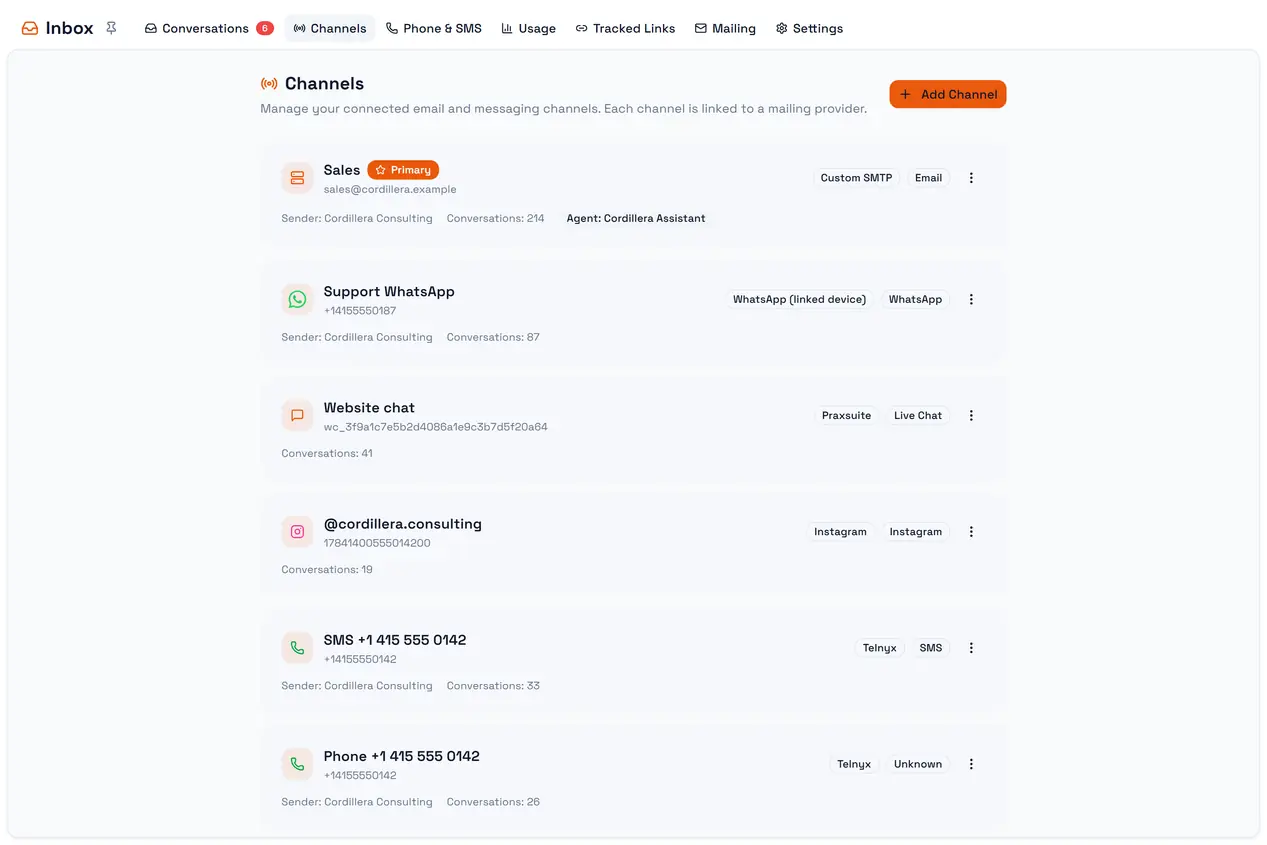
Channel | Connect with | Send | Receive |
A mailing account of the workspace, or any mailbox over SMTP/IMAP | Text, HTML, attachments | Yes | |
A phone, linked like WhatsApp Web | Text only | Text, media, groups | |
Web chat | A snippet on your website | Text | Text |
An Instagram business account and your Meta app | Text and attachments | Text; media arrives as a placeholder | |
SMS and Phone | A number bought in Praxsuite | Plain text; calls in the browser | Yes |
Each channel has its own page: Email, WhatsApp, Web chat, Instagram, Phone and SMS.
What the Inbox is not
It is not a ticketing system. There is no merging of conversations, no SLA timers, no round-robin assignment and no macros.
It does not keep its own address book. Contacts live in a table of your workspace that you choose in Settings — see Contacts and companies.
It is not your portal notifications. Those live in Your Notification Inbox, a different feature with a similar name.