
Replying
Vincent Depassier · September 24, 2026
The composer at the bottom of an open conversation answers on the same channel the contact wrote from. What you can send depends on that channel: an email can carry HTML and files, a WhatsApp or SMS reply is plain text.
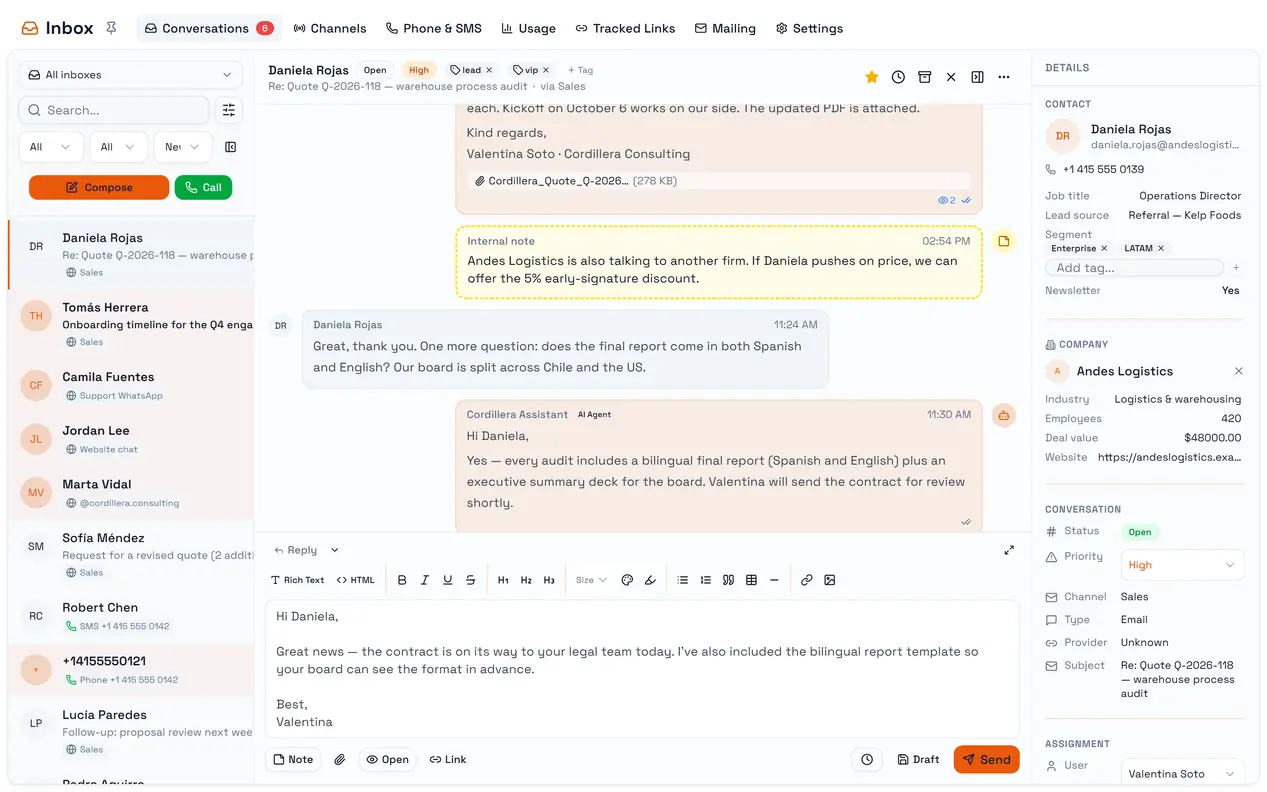
The trap: a file on WhatsApp or SMS is dropped without a warning. Those channels send text only. Anything you attach is discarded, and a reply that is only a file fails with Message body is empty. To share a document, put a link in the text — Insert URL is offered on those channels for exactly this.
Writing
Enter sends. Shift+Enter starts a new line.
On email and web chat the toolbar formats text, and an HTML editor with a live preview is available for email.
On SMS a counter shows the characters used and the number of parts the message will be split into.
The send button says what it will do: Send, Schedule or Add note.
Notes
Turn on Note to write an internal note instead of a reply. Notes stay inside the workspace: the contact never receives them and the web chat never shows them. The AI agent does read them as part of the conversation, so a note is also a way to give it context.
Scheduling and drafts
Schedule send offers 1, 2 or 4 hours, tomorrow morning or afternoon, Monday morning, or a date and time you pick. Scheduled messages are sent within about a minute of their time.
Draft saves the reply without sending it. It is not offered on SMS and WhatsApp.
Drafts and scheduled messages appear in the thread with Send now, Edit and Delete, and they are the only messages you can delete.
Email extras
Option | What it does |
Reply / Reply All / Forward | The mode of the reply |
Open | Adds an invisible image that counts when the email is opened |
Link | Inserts one of your tracked links |
Attach file | Up to 20 MB per file. Executable files and scripts are refused |
Reply All and Forward currently send to the conversation's contact only, like a normal reply. To write to other people, start a new message.
The channel's signature is added to email replies automatically.
Tracked links
Tracked Links turns a destination URL into a link that counts clicks — total, first and last. Insert it in an email with Link.
Deactivating a tracked link breaks it everywhere it was sent: readers who click it get an error, not the destination. Deactivate only links you are sure nobody will click again.
Starting a new conversation
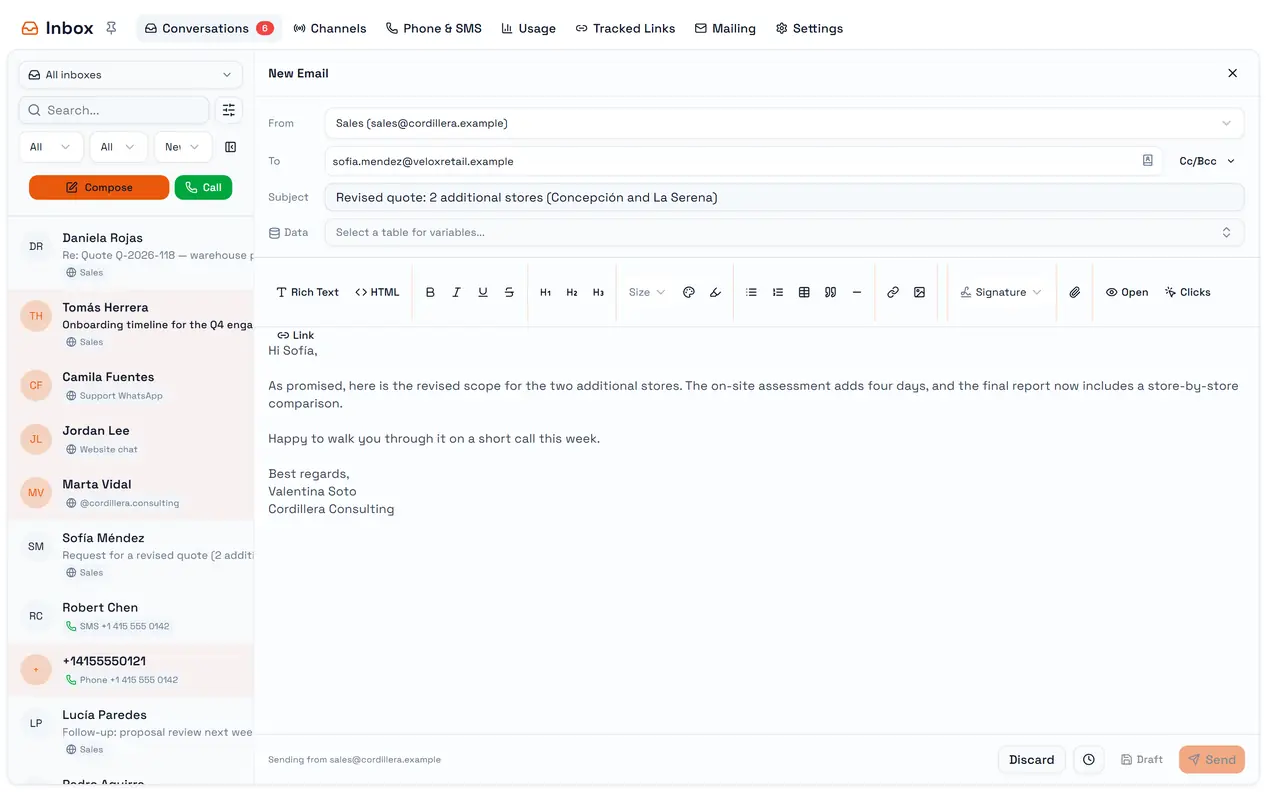
Compose opens a new message: New Email, New WhatsApp Message or New SMS, depending on the channel you pick in From. For a phone number, To has a country-code picker.
Keep one recipient per message. Several addresses in To are sent as a single recipient, and the Send individually, delay and table-variable options in that panel do not take effect yet.