
AI Auto Answers
Vincent Depassier · September 24, 2026
An AI agent of your workspace can answer Inbox conversations on its own, or help you write a reply. It answers with what it knows — its instructions, its knowledge and the tools you gave it — and a person can take the conversation back at any moment.
The trap: "Save as draft" on the channel does not hold replies back today. A channel can be set to Save as draft (don't auto-send), meaning the agent's answer should wait for a person. At the moment the agent's reply is sent anyway. Until that is fixed, do not turn on auto answers on a channel where every reply must be reviewed first.
Turning it on
There are three switches, and the first one that applies wins:
Where | Setting | Applies to |
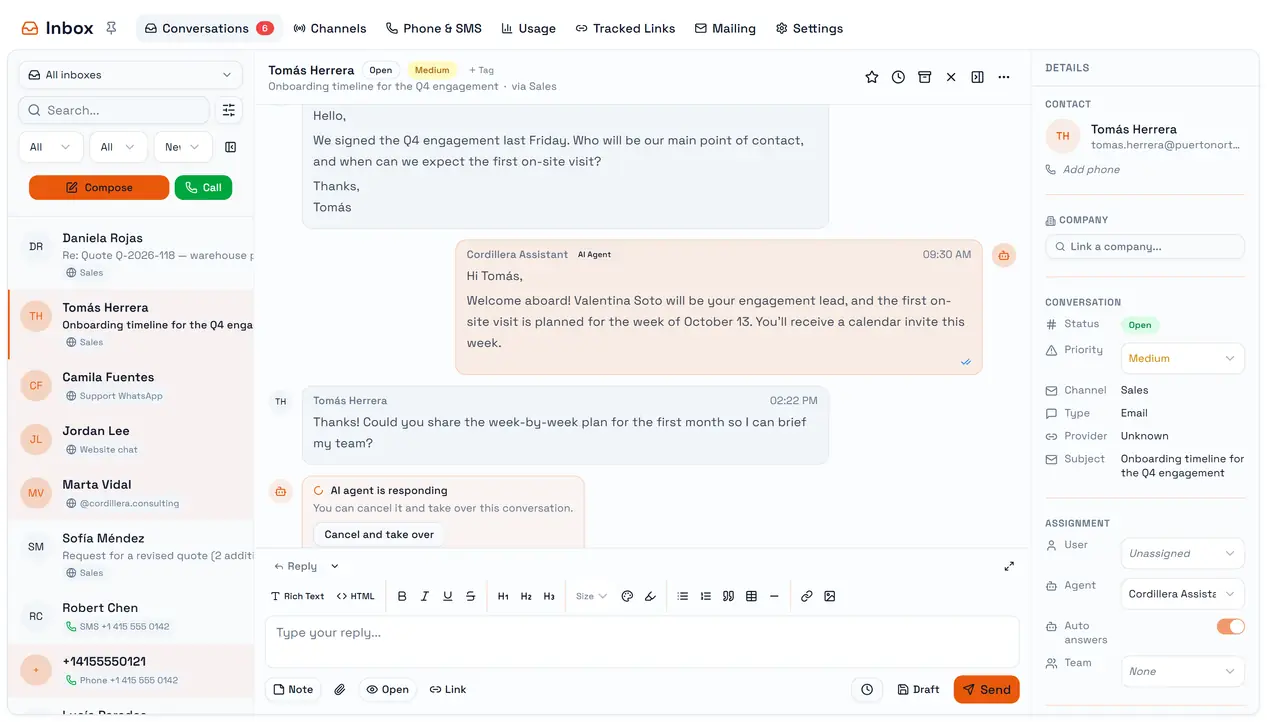
The conversation | Assign an Agent and turn on Auto answers in the details pane | That conversation. The switch is shown for email conversations |
The channel | Assigned Agent + Agent auto-replies in the channel's settings | Every conversation of that channel, on any channel type |
The workspace | Settings → AI Auto Answers → Answer all emails automatically, and pick an agent | Email conversations only — never WhatsApp, Instagram or chat |
When a switch assigns the agent, the conversation shows it under Assignment.
When the agent does not answer
The agent stays quiet when:
The conversation is Closed, Archived or Spam.
A person is assigned to it. Assigning yourself is the simplest way to keep the agent out.
It answered this conversation less than a minute ago.
A newer message arrived before it started — it answers the latest one instead of each message.
The workspace has run out of AI credits for the month.
A reply that fails is retried up to three times.
Taking over
While the agent is working, the thread shows AI agent is responding with Cancel and take over. That stops the agent, assigns the conversation to you, and turns its auto answers off, so it will not come back on its own.
Writing with the agent
From the agent panel you can ask the agent to draft a reply for you to review, compose it straight into the editor, or send it. To do that it reads the last ten messages of the conversation — internal notes included — so a note is a good way to tell it something the customer must not see.
Its replies are written in the tone of an email — a greeting and a sign-off — on every channel. On WhatsApp, SMS or Instagram that can read formal. Read a few of its chat replies before relying on it there.