
Vincent Depassier · September 24, 2026
An email channel turns a mailbox into Inbox conversations: mail that arrives becomes a conversation, and replies go out from that address. There are two ways to connect one.
The trap: a mailbox shows only mail that arrives after you connect it. Connecting imports nothing from the past. The first time the Inbox sees a mailbox, it marks where the mailbox is and from then on picks up only what is new. If you need an old thread in the Inbox, ask the contact to reply to it after the channel is connected.
Option 1: a mailing account of the workspace
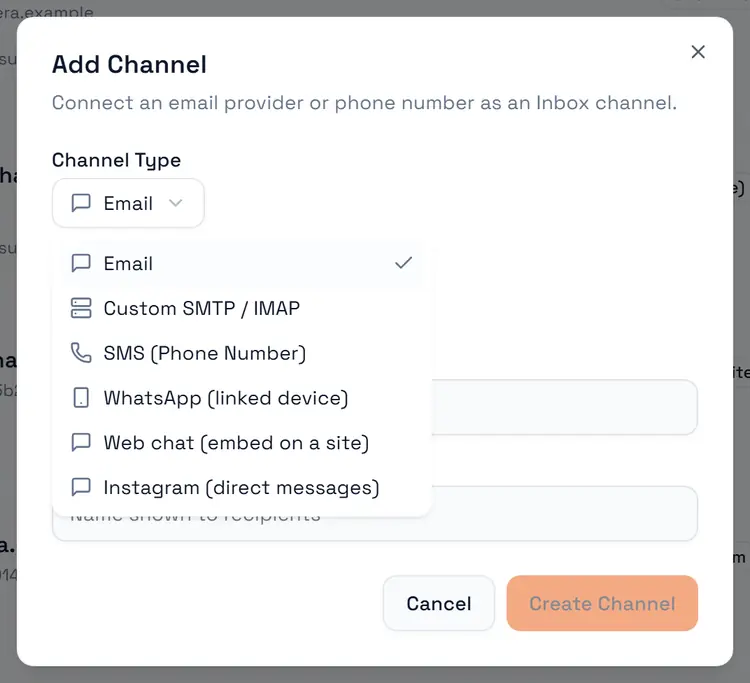
Channels → Add Channel → Email, then pick one of the workspace's mailing accounts. The channel takes its address and sender name from that account. If there is none yet, set one up first in Mailing — see How to send emails from Praxsuite.
Account type | Sending | Receiving |
Microsoft 365 / Outlook | Yes | Yes — the subscription is created when you add the channel and renewed automatically |
SendGrid | Yes | Yes, through the Inbound Webhook you configure on the channel |
Yes | Not yet. Mail sent to a Google account does not arrive in the Inbox today |
If you need a Google mailbox to receive, connect it with option 2 instead.
Option 2: any mailbox, over SMTP and IMAP
Channels → Add Channel → Custom SMTP / IMAP connects any mailbox that offers those protocols.
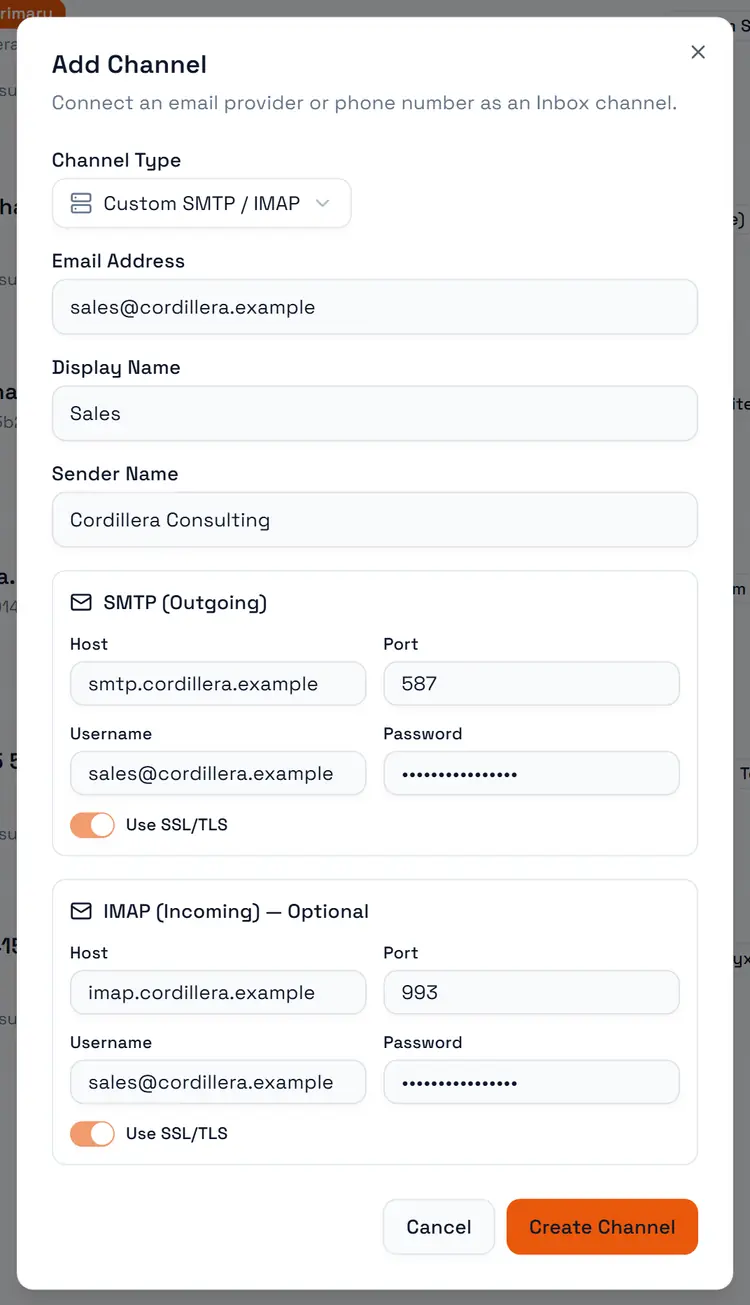
Field | Notes |
Email Address, Display Name, Sender Name | How the channel appears and signs |
SMTP host, port, username, password, SSL | The sending server. Port defaults to 587 |
IMAP host, port, username, password, SSL | The receiving server. Port defaults to 993 |
Test SMTP and Test IMAP check the connection before you save. Many providers need an app password rather than your normal one.
The Inbox keeps a live connection to the mailbox and picks up new mail as it arrives. It only reads: nothing is marked as read, moved or deleted in your mailbox.
When a mailbox keeps failing
If the server keeps refusing the connection — a changed password, a closed account — the Inbox stops trying after three permanent failures and switches the channel off. The card shows Auto-disabled and This channel was disabled automatically. Fix the credentials and turn Active back on; editing any connection field also clears it.
How mail is threaded
A reply lands in the conversation it belongs to by its email headers. When the headers are missing, it is matched by subject, ignoring RE:, FW: and Fwd:.
A reply to a closed email conversation goes back into it but does not reopen it. See Conversations.
Channel settings
Setting | What it does |
Active | Switches the channel on or off without deleting anything |
Signature (HTML) | Appended to every email reply |
Assigned Agent / Agent auto-replies | Lets an AI agent answer this channel — see AI auto answers |
Set as primary | The channel used by default. The first channel you create is primary |
Manage Access | Who in the team can see the channel |