
The Editor
Vincent Depassier · September 24, 2026
A document opens in Preview. Press Edit to change it, and Save (or Ctrl+S) to keep what you changed. Every save is a new version, so saving often costs nothing and loses nothing.
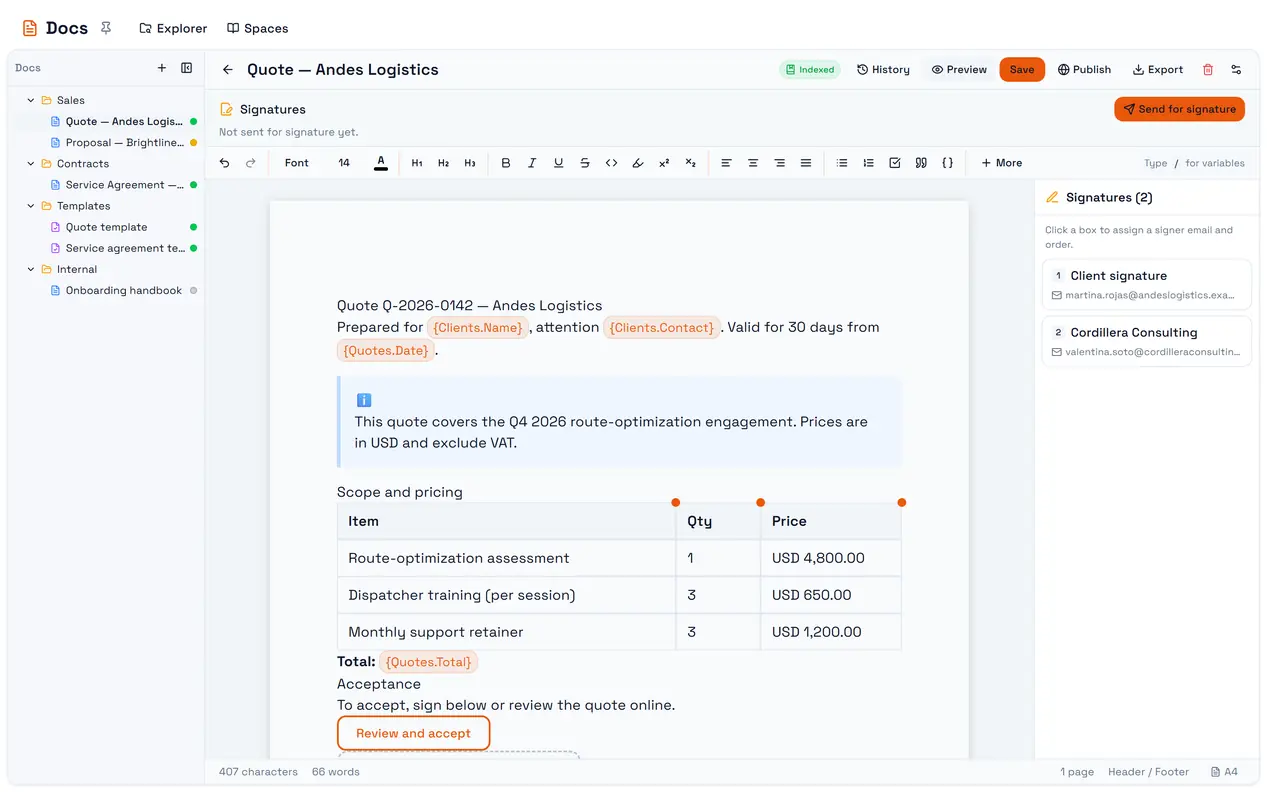
The trap: new documents are paginated as A4. A document created from the portal is laid out as A4 pages, with page breaks, margins and page cards — not as a continuous web page. If you are writing something that will only ever be read on screen, switch the page size to Web (Default) before you start, so the layout you design is the one readers get.
The header
Control | What it does |
Title | Click it to rename the document |
History | Opens the version history |
Edit / Preview | Switches between editing and reading. Disabled if you may not edit |
Save | Stores the content and creates a version |
Publish / Unpublish | Makes the document public at a link, or takes it back |
Share Link | Copies the public link. Only shown while the document is published |
Export | Export as PDF |
Trash | Deletes the document, after a confirmation. There is no recycle bin |
A template adds Preview Values and Generate, covered in Templates and variables.
Page size and layout
Page size | Layout |
Web (Default) | One continuous page, no pagination |
A4 | 794 × 1123 px pages |
Letter | 818 × 1060 px pages |
Legal | 818 × 1404 px pages |
Pick it in the bar under the page, next to the word count. The page size is saved with the document. On a paginated size, Page Break (or Ctrl+Enter) starts a new page.
Header and footer
Header / Footer opens a dialog with a left, center and right slot for each, a font size, and an optional logo placed left, center or right at a height you choose. Both start switched off; the footer's center slot is preset to the page number.
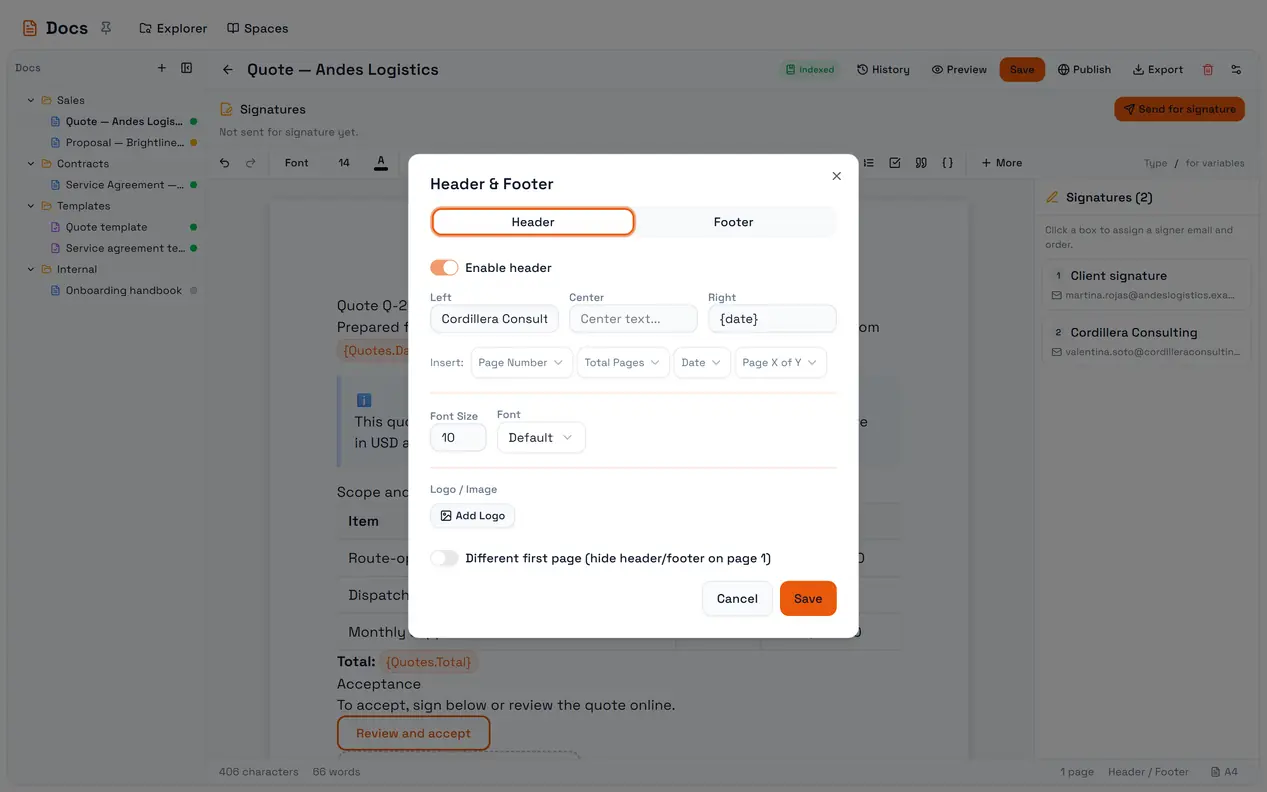
Placeholder | Becomes |
| The current page number |
| The total number of pages |
Page X of Y | Inserts |
| Today's date |
{date} is the date on the reader's screen when they open or print the document, not the date the document was written. For a contract that must show when it was issued, type the date.
Header and footer settings are part of the document, so they need a Save like any other change.
Formatting
The toolbar covers what a business document needs:
Headings 1 to 3, bold, italic, underline, strikethrough, inline code, superscript and subscript.
Text color and highlight, alignment (left, center, right, justify).
13 fonts (Arial, Times New Roman, Calibri, Cambria, Georgia, Helvetica, Verdana, Tahoma, Trebuchet MS, Courier New, Garamond, Palatino and the default) and sizes from 8 to 72.
Bullet, numbered and task lists — task lists can nest.
Blockquote, and code blocks with a copy button.
Undo and redo.
A character and word count sits in the bar under the page.
Inserting blocks
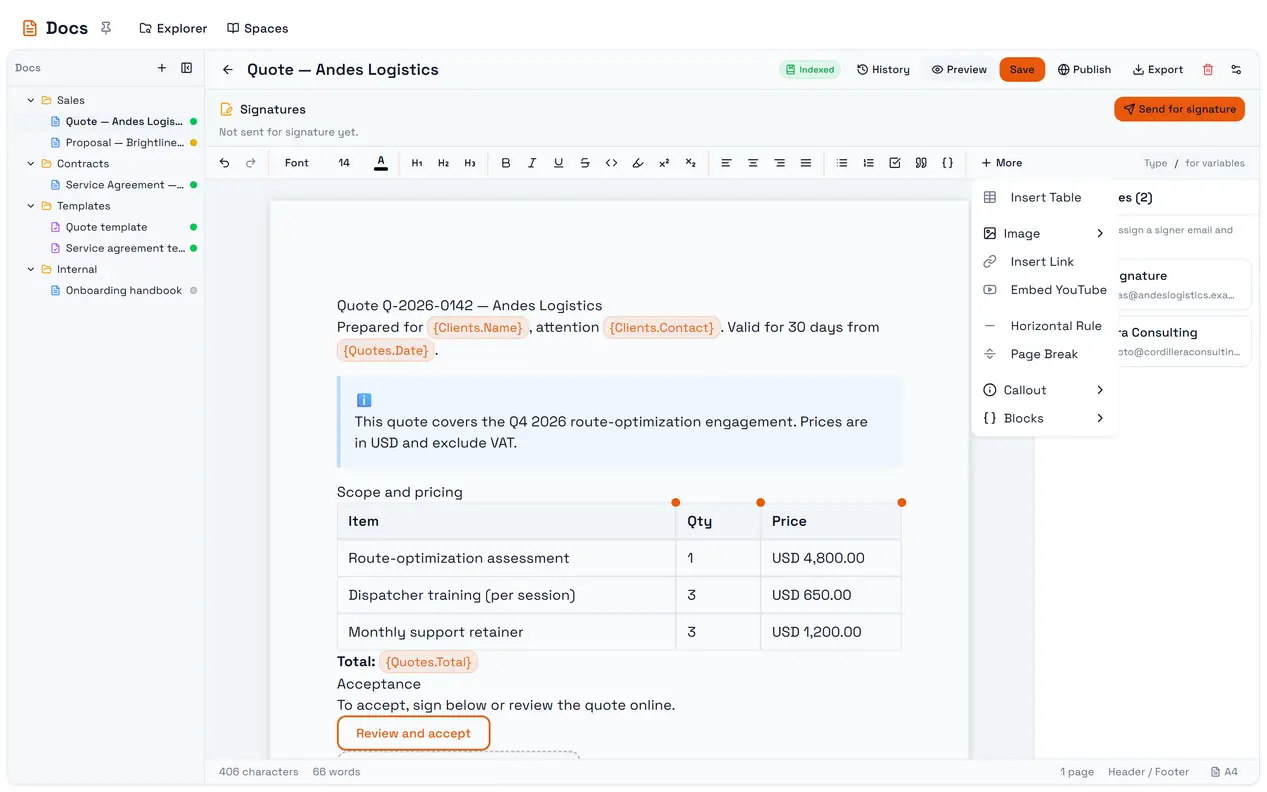
The More menu holds everything that is not text:
Item | Notes |
Insert Table | Rows and columns you can merge, split, color and style |
Image | Upload Image or Image from URL. You can also paste or drag an image into the page |
Insert Link | Links are clickable when reading, not while editing |
Embed YouTube | Plays inline |
Horizontal Rule | A divider |
Page Break | Starts a new page on paginated sizes |
Callout | A colored box: Info, Warning, Success or Error |
Blocks → Signature Box | A place for someone to sign. See Signatures |
Blocks → Button / Link | A button with a label and a URL, styled Primary, Outline or Subtle |
Blocks → Dashboard Widget | A live widget from one of the workspace's dashboards |
Typing / inserts a variable — a value that fills in from a table row when a template generates a document.
Tables
Put the cursor in a table (or right-click it) for its menu: add or delete rows and columns, Merge cells, Split cell, Toggle header row, a cell color, and a table style — Default, Invisible (for layout, with no borders), Striped or Bordered. In a template, Dynamic table (repeating rows) turns one row into a row per related record.
Images
Uploaded images are stored in the workspace's Files, so the workspace's file limits apply to them. Only image files are accepted. Images can be resized in place.