
Workspaces
Vincent Depassier · June 8, 2026
Workspaces are the main container in Praxsuite. If Tables are the data core, Workspaces are where everything lives. A Workspace is the environment where you create and manage all Praxsuite features - Tables, Forms, Automations, Dashboards, Roles, Permissions, API integrations, and more. When you start using Praxsuite, you start by creating or joining a Workspace.
Workspaces are the main container in Praxsuite. If Tables are the data core, Workspaces are where everything lives. A Workspace is the environment where you create and manage all Praxsuite features - Tables, Forms, Automations, Dashboards, Roles, Permissions, API integrations, and more.
When you start using Praxsuite, you start by creating or joining a Workspace.
What is a Workspace?
A Workspace is a self-contained operational universe. It holds:
your data (Tables and Records)
your users and roles
your automations and rules
your files, dashboards, and portals
your integrations and API configuration
What a Workspace represents depends on how your organization thinks:
a whole company (most common)
a large internal project
an environment of a software product or videogame (for example, a game world, dimension, or server)
any operational boundary you want to define
In practice, one Workspace is usually enough to centralize a company's information in a single place, with structure, security, and automation built in.
Free Workspace and sandboxing
Every user can have one free Workspace, intended for testing, learning, and building a sandbox system.
Maximum: 1 free Workspace per user
Purpose: try features, experiment, and validate use cases
Duration: perpetual, but with limitations
If you want to run more than one Workspace, you will need a paid option.
Ways to own a Workspace
There are four ways a Workspace can exist in Praxsuite:
1. Free Workspace
Each user can have up to 1 free Workspace
Has feature or usage limitations
Perpetual (does not expire)
Best for learning, testing, and small sandboxes
2. Subscription Trial Workspace
A full-paid subscription trial
15 days free
No credit card required
Gives access to all features of the selected subscription tier
After 15 days, it becomes blocked until upgraded
If upgraded, you keep using the same Workspace without losing progress
3. Paid Cloud Subscription Workspace
Users can subscribe immediately
Unlocks full Praxsuite capability based on the plan chosen
Hosted in Praxsuite cloud
Best for most teams and organizations needing fast scale and low overhead
4. Dedicated Workspace
Available only by contact
Tailored deployment for the client
Designed for high-demand scenarios or stronger isolation needs
Often the best fit when:
- performance requirements are heavy
- data isolation is critical
- enterprise-level customization is needed
Becomes a stronger option than standard cloud subscriptions in those cases
Users inside a Workspace
A Workspace has two important user layers:
Owner
Admin users
plus regular participants (members)
Owners
The Owner is the highest authority of a Workspace.
The Owner sees and controls everything
Any Table, Form, Automation, or feature inside the Workspace is visible to the Owner
Nothing can be private from the Owner
because ownership means responsibility and payment
This ensures system transparency and operational safety.
Admin users
Admins are internal users who help manage the Workspace.
They are assigned and maintained by the Owner
They can manage many aspects of the Workspace depending on permissions
Membership and limits
A user can own or join multiple Workspaces
Ownership rules depend on the type of Workspace (free, trial, paid, dedicated)
Users can move across Workspaces without losing their profile
Archiving and blocking Workspaces
Workspace lifecycle is also controlled by the Owner:
A Workspace can be archived
meaning it is stored safely but no longer active for daily operations
A Workspace can be blocked
typically due to trial expiration or subscription status
and can be re-activated by upgrading or restoring access
Why Workspaces matter
Workspaces are the boundary that keeps your systems:
organized (everything in one place)
secure (roles, permissions, and access grants live here)
scalable (each Workspace can grow independently)
flexible (you define what a Workspace represents)
In short, a Workspace is where your operation becomes real inside Praxsuite.
Ready to keep going? Next, we will dive into Users, and how identity, membership, and access work inside a Workspace.
Where a Workspace is configured
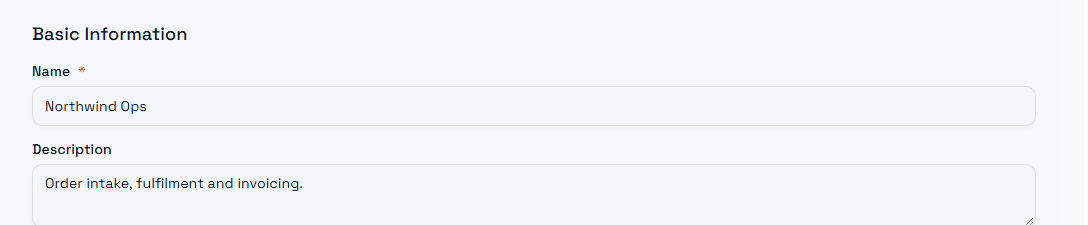
A Workspace carries its own identity: a name, an optional description, the sub-domain it answers on, the language and regional format its interface uses, and the time zone every date is displayed in. You will find all of it under Settings → General.
The time zone matters more than it looks: it is the reference every automation, log entry and date column is shown against, so set it before you start loading real data.